HP + Ansys
HP Z Workstations are optimized for Ansys simulation workflows, offering powerful CPU/GPU configurations, large memory, and storage to accelerate design, simulation, and HPC tasks.
HP + Ansys
Contents & Navigation
HP Workstations + Ansys, Parallel Processing
Configuration Checklist
Recommended Configuration by Workflow, GPU-Based HPC, System Parameters to Help Tune
2
3
4-6
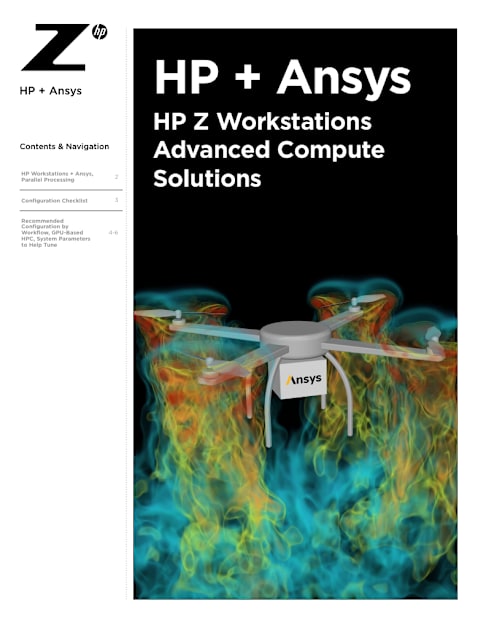
HP Z Workstations Advanced Compute Solutions
HP + Ansys
HP + Ansys
Contents & Navigation
2.
HP Workstations + Ansys, Parallel Processing
Configuration Checklist
Recommended Configuration by Workflow, GPU-Based HPC, System Parameters to Help Tune
2
3
4-6
HP Workstations + Ansys HP Workstations and Ansys software combine to provide a high performing interactive discovery, multi-physics product design and simulation platform. The combined solutions enable innovators to push the boundaries of predictive simulation in many disciplines such as structures, fluids, optics, materials, acoustics, and semiconductors.
The latest Ansys technology and HP Z Workstation capabilities enable the user to look deeper and investigate more complex problems. These capabilities are enabled through a wide range of computing platforms and options to match the job at hand.
At high-level the three main workflows are:
• Interactive design and discovery. • Computationally intensive simulations and predictive analysis. • Some combination of both interactive and simulation.
Interactive design and discovery workflows require frequency optimized processors and memory, high-performing graphics with ample memory for 3D and compute, and user- friendly ergonomic displays.
The computationally intensive workflows distribute the equation solvers and associated data to many computing cores, requiring large capacity and high-bandwidth system memory. In many cases, taking advantage of the accelerated computation capabilities of the latest GPUs enables the user to take advantage of multiple computing nodes in a cluster. Since these jobs often require moving and processing large input and output data files, it is common for systems to include performant and redundant RAID storage and high-bandwidth networks.
In a digital engineering environment, the hybrid discovery workflow may include design, visualize, and optimizations run from the same workstation. This requires a combination of CPU, 3D, memory, and GPU compute capability. In this case, a step up in GPU computing power and system memory is recommended. In addition, these workflows operate in a local, hybrid, and on-prem remote computing environment.
Parallel Processing As complexity and size increase, the need for a highly parallel scalable computing platform also increases. Technical users should refer the Parallel Processing Guide for full details. Two of the most performant parallel processing options are:
• Distributed Memory Parallel ( DMP ) processing distributes the computing work effectively to N nodes and M cores using a messaging passing interface. Using this method is recommended.
• GPU Accelerator is used to offload some or all of the time-intensive parallel operations performed by certain equation solvers. Technical users should refer to the Installation Guide and Support site for full details on which GPUs and solvers are supported.
HP + Ansys
Contents & Navigation
3.
HP Workstations + Ansys, Parallel Processing
Configuration Checklist
Recommended Configuration by Workflow, GPU-Based HPC, System Parameters to Help Tune
2
3
4-6
Configuration Checklist 1. The most important factor contributing to slow performance is insufficient memory
capacity.
• Equation solvers run best “in-core” meaning the entire problem can be computed directly from system memory, thus avoiding swapping from relatively slower file system storage.
• System memory is also used for large memory transfers between host and GPU.
• For GPU accelerated workloads, the system memory should be a minimum 1.5x of GPU memory.
2. Low memory latency and high bandwidth contribute significantly to the overall performance.
• The recommended CPU processor cores to memory channel ratio is best at 4:1 and good at 8:1.
• Install at least one memory DIMM in each memory channel. • Workloads > 0.5TB should consider the dual socket for maximum memory
capacity and bandwidth.
3. When selecting the CPU for your workstation consider the two main factors:
• The number of physical cores. • The frequency at which they operate.
For interactive discovery and design workflows, the max turbo boost for Intel® processors and the max boost clock for AMD processors are the most important processor characteristics. For compute intensive simulation, the number of CPU cores (the number of individual central processing units) is the most important.
4. Using a GPU for 3D and Visualization
The discrete memory on-board a GPU is used in a variety of ways depending on your workflow. Model, surface, lighting, and scene are just some of the data objects located there for responsive 3D. Physical base rendering, ray, and path tracing can be greatly accelerated and usually scale in performance with multi-GPU configurations.
5. Using a GPU for computation
When paired with sufficient system memory and bandwidth, the potential for speedup is significant. Multiple GPUs can be utilized in a single simulation, and the primary limiting factor is the combined on-board GPU memory. Single precision simulation can be run on most mobile and desktop workstation class GPUs. Double precision simulation requires a specific class of GPUs which include the native FP64 hardware support.
6. Workflows often require moving and processing large input and output data files.
• Performant and redundant RAID local storage are used to contain the files associated with the workspace.
• High-bandwidth networks to move large input and output data files. • Low latency networks for distributed message passing.
HP + Ansys
Contents & Navigation
4.
HP Workstations + Ansys, Parallel Processing
Configuration Checklist
Recommended Configuration by Workflow, GPU-Based HPC, System Parameters to Help Tune
2
3
4-6
Recommended Configuration by Workflow
Design Design and Simulation Large Memory Flagship CPU Performance GPU Compute
ZBook Z2 Tower Z4 G5, Z4 Rack G5
Z8 G5 Z8 Fury G5 Z6 G5 A Z8 Fury G5
4X 6000 class 192GB
16 cores 16 cores 8-20 cores 30-60 cores 20-50 cores 20-60 cores
2x16GB 2x32GB 4 memory DIMMS in increments of 32GB or 64GB
16 memory DIMMS in increments of 16GB, 32GB, or 64GB
8 memory DIMMS in increments of 32GB or 64GB
8 memory DIMMS in increments of 32GB or 64GB
Z6 G5 A
2X 6000 class 96GB
2000 class 3D
4000 class 3D
4000 class 3D and compute
2x2TB RAID stripped workspace
2x2TB RAID stripped workspace
2x2TB RAID stripped workspace
Z4 G5
2X 5000 class 64GB
2x1TB RAID stripped workspace
10GbE for data
25GbE for MPI
10GbE for data
25GbE for MPI
10GbE for data
25GbE for MPI
Design Discovery Simulation and Predictive Analysis Entry-HPC
HP Anyware + Ansys HP Anyware delivers secure remote workspaces, enabling you to make the best use of local, hybrid, on-prem, and cloud computing platforms. Whether you are running interactive design or compute intesive simulation, HP Anyware gives you the flexibility and security to run Ansys workflows remotely from any work environment.
GPU-Based HPC Fluids Simulation Using Ansys® Fluent™ – Single Precision FP32.
Workflow: Turbulence simulation within a vehicle exhaust model utilizing four 6000-class GPUs.
Optimized for highly parallel multi-GPU based computation and can significantly improve the time to solution.1
Exhaust System: Vehicle Exhaust Model
• Size: 33M cells • Cell Type: Mixed • Solver : Pressure based coupled solver,
Least Squares cell based, steady • Models: SST K-omega Turbulence
HP + Ansys
Contents & Navigation
5.
HP Workstations + Ansys, Parallel Processing
Configuration Checklist
Recommended Configuration by Workflow, GPU-Based HPC, System Parameters to Help Tune
2
3
4-6
GPU Offload With Ansys® Mechanical™ Direct Solver – Double Precision FP64
Workflow: Mechanical™ benchmark V24direct-2 described as Block Lanczos Eigen Solver, symmetric matrix, 3.4m DOFs.
The solver computational rate (Gflops) increases significantly2 when computation is offloaded to the NVIDIA® A800 GPU with hardware support of the FP64 data type.
System Parameters to Help Tune Disable Intel® Hyper Threading and AMD Simultaneous Multithreading in the System BIOS
Both the Intel® Xeon® and AMD Ryzen™ processor family can logically divide the physical CPU cores into two instruction streams. Although this does effectively double the number of computing cores, it places an increased burden on the CPU cache and memory subsystem. With memory-intensive applications, it is recommended to disable Intel® Hyper Threading and AMD Simultaneous Multithreading in the system BIOS. This will allow each core the full performance of the CPU cache and memory subsystem. This applies to workstations running both Windows and Linux.
Set the Highest Performing Windows Power Options and Windows Power Mode
The Windows default power plan is set to Balanced mode to provide a reasonable compromise between energy efficiency and system performance. To achieve the maximum performance, it is recommended to set the following:
When using HP Z workstations configured with Intel® Xeon® and AMD Ryzen™ processors navigate to Windows Control Panel -> System and Security -> Power Options Windows Power Option -> and select High or Ultimate Performance.
When using HP ZBook Workstation navigate to Settings -> System -> Power & Battery -> Windows Power Mode and select Best Performance.
HP + Ansys
Contents & Navigation
6.
HP Workstations + Ansys, Parallel Processing
Configuration Checklist
Recommended Configuration by Workflow, GPU-Based HPC, System Parameters to Help Tune
2
3
4-6
Disclaimers 1. Based on HP internal analysis of Ansys Fluent 2023 R2 and benchmark; Vehicle Exhaust model
exhaust_system_33m. Model size is 33M cells with a Mixed Cell Type. Pressure based coupled solver, Least Squares cell based, steady Models: SST k-omega Turbulence. Comparing 30 CPU based Ansys distributed solvers run on Z8 G4 with dual 16 core Intel® Xeon® Gold 6246R processors, and 12 x 32GB of RAM, with Windows 11 Professional as of September 2023; and 4 GPU based solvers run on Z8 Fury G5 with four NVIDIA RTX™ A6000 48GB GPUs, and 8 x 64GB of RAM with Windows 11 Professional as of June 2023. Using (MIUPS) Million Cell Iterations Per Wall Second as the performance metric.
2. Based on HP internal analysis of Ansys Mechanical 2024 R1 and benchmark V24direct-2. V24direct-2 described as Block Lanczos eigensolver, symmetric matrix, 3.4m DOFs, modal, cyclic symmetry, linear, structural analysis requesting 50 modes. A large sized job for direct solvers, should run incore on machines with 150 GB or more of memory, good test of processor flop speed and memory bandwidth. Comparing 16 CPU based Ansys distributed solvers running on Z4 G5 with Intel® Xeon® w72475x processor and 4 x 64GB of RAM, with Windows 11Professional as of February 2024; and compared using the same configuration with the addition of NVIDIA A800 40GB Active GPU and Ansys configured to offload time sensitive computation to the GPU.
HP Workstations + Ansys, Parallel Processing
Configuration Checklist
Recommended Configuration by Workflow, GPU-Based HPC, System Parameters to Help Tune
2
3
4-6
© Copyright 2024 HP Development Company, L.P. The information contained herein is subject to change without notice. The only warranties for HP products and services are set forth in the express warranty statements accompanying such products and services. Nothing herein should be construed as constituting an additional warranty. HP shall not be liable for technical or editorial errors or omissions contained herein. Red Hat is a registered trademark of Red Hat, Inc. in the United States and other countries. Linux® is the registered trademark of Linus Torvalds in the U.S. and other countries. Microsoft and Windows are U.S. registered trademarks of the Microsoft group of companies. Apple, Mac, macOS and MacBook are registered trademarks of Apple Inc.
Let us help you create amazing business solutions today
LEARN MORE
4AA8-4036ENW, April 2024
https://www.hp.com/us-en/shop/mlp/business-solutions/workstations