Faster CFD with Simcenter™ STAR-CCM+™ and NVIDIA RTX GPUs on the HP Z8 Fury G5
HP Z8 Fury G5 with NVIDIA RTX GPUs drastically speeds up CFD simulations using Simcenter STAR-CCM+, enabling up to 17× faster results than CPU-only systems.
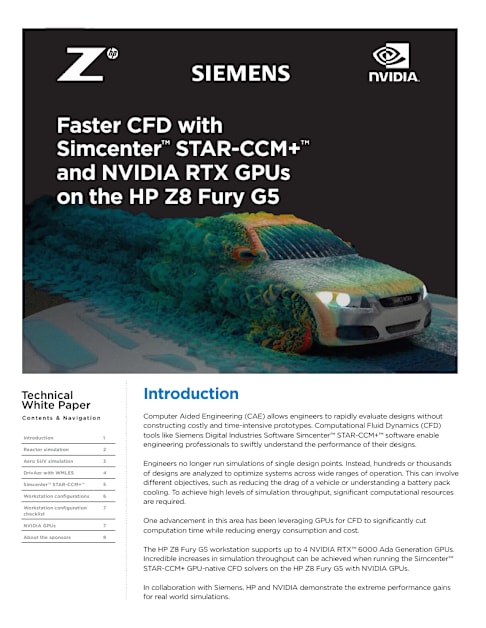
Faster CFD with Simcenter™ STAR-CCM+™ and NVIDIA RTX GPUs on the HP Z8 Fury G5
Introduction 1
Reactor simulation 2
Aero SUV simulation 3
DrivAer with WMLES 4
Simcenter™ STAR-CCM+™ 5
Workstation configurations 6
Workstation configuration checklist
7
NVIDIA GPUs 7
About the sponsors 8
Contents & Nav igat ion
Technical White Paper
Introduction Computer Aided Engineering (CAE) allows engineers to rapidly evaluate designs without constructing costly and time-intensive prototypes. Computational Fluid Dynamics (CFD) tools like Siemens Digital Industries Software Simcenter™ STAR-CCM+™ software enable engineering professionals to swiftly understand the performance of their designs.
Engineers no longer run simulations of single design points. Instead, hundreds or thousands of designs are analyzed to optimize systems across wide ranges of operation. This can involve different objectives, such as reducing the drag of a vehicle or understanding a battery pack cooling. To achieve high levels of simulation throughput, significant computational resources are required.
One advancement in this area has been leveraging GPUs for CFD to significantly cut computation time while reducing energy consumption and cost.
The HP Z8 Fury G5 workstation supports up to 4 NVIDIA RTX™ 6000 Ada Generation GPUs. Incredible increases in simulation throughput can be achieved when running the Simcenter™ STAR-CCM+ GPU-native CFD solvers on the HP Z8 Fury G5 with NVIDIA GPUs.
In collaboration with Siemens, HP and NVIDIA demonstrate the extreme performance gains for real world simulations.
2
Reactor Simulation This simulation shows how the coolant flows inside a nuclear reactor downcomer. Unlike the other simulations which model the flow of air, here we model the flow of a liquid (water). Understanding how the water moves through the reactor is important. For example, minimizing the pressure drop through the system can help make the system as efficient as possible. This simulation has 9M cells and can be run on a single GPU with sufficient memory.
Increased Throughput of Simulations Simcenter™ STAR-CCM+™ GPU-native solvers, together with the NVIDIA RTX™ 6000 Ada Generation GPUs in the HP Z8 Fury G5, demonstrate a huge increase in simulation throughput. Compared to the HP Z8 G4 workstation, a single GPU completes almost 4x as many simulations in the same time, and 2 GPUs complete 7x as many. Leveraging all 4 GPUs results in nearly 14x as many completed simulations. This also highlights the excellent scaling when moving from 1 to 4 GPUs for this simulation. Note the efficient, near-linear scaling across all the GPUs.
700
600
500
400
300
200
100
0
44
170
313
439
608
*Assuming 1000 iterations per simulation
N u m
b e r
o f
si m
u la
ti o
n s
in 2
4 h
o u rs
*
Z8 G4 2 Intel Gold 6258R CPUs
using 52 cores
Z8 Fury G5: 1 x RTX 6000
Ada
Z8 Fury G5: 2 x RTX 6000
Ada
Z8 Fury G5: 3 x RTX 6000
Ada
Z8 Fury G5: 4 x RTX 6000
Ada
Excellent Performance and Scaling with GPU Acceleration—Reactor 9M
S p
e e d
u p
1 2 30 4
1
2
3
4
Number of GPUs
Linear scaling HP Z8 Fury G5
Parallel Scaling
Contents & Nav igat ion
Technical White Paper
Introduction 1
Reactor simulation 2
Aero SUV simulation 3
DrivAer with WMLES 4
Simcenter™ STAR-CCM+™ 5
Workstation configurations 6
Workstation configuration checklist
7
NVIDIA GPUs 7
About the sponsors 8
3
Aero SUV Simulation This simulation looks at the aerodynamics of an SUV. Studying the aerodynamics of such vehicles is essential to ensure good performance with respect to fuel efficiency, or in the context of an electric vehicle, how many miles can be achieved on a full battery charge.
Two variants of this case are analyzed: one with 57M cells, and another one with 106M cells. These cases use the Segregated Flow solver which is more memory efficient. Due to the memory requirements for the large cell counts, these large cases need at least 2 and 3 GPUs respectively to run.
Z8 G4 2 Intel Gold 6258R CPUs using 52 cores
Z8 Fury G5: 2 x RTX 6000
Ada
Z8 Fury G5: 3 x RTX 6000
Ada
Z8 Fury G5: 4 x RTX 6000
Ada
11 6
57M cells 106M cells
200
150
50
0
*Assuming 1000 iterations per simulation
N u m
b e r
o f
si m
u la
ti o
n s
in 2
4 h
o u rs
*
Larger Simulations run more E�ciently with GPU Enabled Acceleration—Aero SUV 57M & 106M
100
185
94 74
137
93
Linear scaling HP Z8 Fury G5 57M
HP Z8 Fury G5 106M
S p
e e d
u p
1 2 30 4
1
2
3
4
Number of GPUs
Parallel Scaling
Contents & Nav igat ion
Technical White Paper
Introduction 1
Reactor simulation 2
Aero SUV simulation 3
DrivAer with WMLES 4
Simcenter™ STAR-CCM+™ 5
Workstation configurations 6
Workstation configuration checklist
7
NVIDIA GPUs 7
About the sponsors 8
4
Run Larger Simulations Efficiently With 48GB of GPU memory on each NVIDIA RTX™ 6000 GPU, large cases can be run directly on the HP Z8 Fury G5 workstation. In this example, the 106M cell model needs to be run on 3 or more GPUs due to memory requirements. The efficiency of Simcenter™ STAR-CCM+™ GPU-native solvers can be further studied by looking at the strong scaling. Strong scaling is defined as how the solution time varies with the number of GPUs for a fixed total problem size. Compared to the baseline with 2 GPUs, the 57M cell variant on 3 and 4 GPUs scales at 98% and 99% parallel efficiency, respectively. The 106M cell variant on 4 GPUs scales at 95% parallel efficiency compared to 3 GPUs. Thus, excellent strong scaling is achieved. Like the reactor example, leveraging GPUs on the HP Z8 Fury G5 workstation gives a substantial boost in simulation throughput compared to the HP Z8 G4 workstation. The Z8 G4 with CPUs completed 11 simulations of the 57M cell model in a 24-hour period, whereas the Z8 Fury G5 with 4 NVIDIA RTX™ 6000 Ada GPUs completed 185 simulations, which is 17x the throughput.
DrivAer with Wall-Modeled Large Eddy Simulation (WMLES) This example looks at using high fidelity simulation for more accurate analysis of automotive aerodynamics. Here, WMLES is used to accurately resolve the turbulent scales of the vehicle. Being able to resolve these scales requires fine meshes and small computational timesteps. Therefore, they can incur a high computational cost. The mesh used here has 128M cells.
The introduction of multiple NVIDIA RTX™ 6000 Ada GPUs into the HP Z8 Fury G5 workstation allows for high fidelity simulation within realistic engineering time frames. Running such a high-fidelity simulation on the HP Z8 G4 would take almost 2 weeks to generate meaningful simulation data on only a single design. Leveraging Simcenter™ STAR-CCM+™ GPU-native solvers means that this simulation time dropped from almost 13 days to 16 hours. These types of simulations are typically run on expensive HPC systems, but now GPU-powered workstations provide an easier and cheaper alternative. This makes high-fidelity simulation feasible to use in the design process.
14.00
12.00
10.00
8.00
6.00
4.00
2.00
0.00N u m
b e r
o f
d ay
s to
s o
lv e 4
s p
h ys
ic al
t im
e 12.86
0.67
Z8 G4 2 Intel Gold 6258R CPUs
using 52 cores
Z8 Fury G5: 4 x RTX 6000
Ada
Run High Fidelity Simulations Faster on a Workstation with GPU Native Solvers
Contents & Nav igat ion
Technical White Paper
Introduction 1
Reactor simulation 2
Aero SUV simulation 3
DrivAer with WMLES 4
Simcenter™ STAR-CCM+™ 5
Workstation configurations 6
Workstation configuration checklist
7
NVIDIA GPUs 7
About the sponsors 8
5
Simcenter™ STAR-CCM+™ • The simulations were performed using Simcenter™ STAR-CCM+™ version 2310 (install
name 18.06.006). The mixed precision version of Simcenter STAR-CCM+ was used.
• To run the simulations in batch mode, we used the -gpgpu option when launching the command. This option corresponds to the “GPGPU Usage” checkbox in the GUI under Process Options.
• Required License
° Simcenter™ STAR-CCM+™ Power Session Plus (ccmppowerplus) license. This type of licensing enables users to run on unlimited number of CPUs or GPUs (1 or unlimited) at the same cost.
° Additionally, Power on Demand (PoD) credits can be used to leverage GPU acceleration.
• The range of applications that can leverage GPU-accelerated computing with Simcenter™ STAR-CCM+™ are being continually expanded with more and more physics models being made GPU-native with each release.
Contents & Nav igat ion
Technical White Paper
Introduction 1
Reactor simulation 2
Aero SUV simulation 3
DrivAer with WMLES 4
Simcenter™ STAR-CCM+™ 5
Workstation configurations 6
Workstation configuration checklist
7
NVIDIA GPUs 7
About the sponsors 8
6
Workstation Configurations
HP Z8 G4 Workstation HP Z8 Fury G5 Workstation
CPU 2 Intel® Xeon® Gold 6258R 56 cores 2.7 GHz – 4.0 GHz
Intel® Xeon® w9-3475X 36 cores 2.2 GHz – 4.8 GHz
GPU NVIDIA RTX™ A4000 Driver 535.171.04 (3/21/24)
Up to 4 NVIDIA RTX™ 6000 Ada Generation Driver 535.171.04 (3/21/24)
Memory 384GB (12x32GB) DDR4-2933 ECC
256GB (8x32GB) DDR5-4800 ECC
BIOS Latest www.hp.com BIOS 02.94
Latest www.hp.com BIOS 01.02.01
OS AlmaLinux version 9.3 & latest drivers
AlmaLinux version 9.3 & latest drivers
“Although a Linux-based OS was used for these tests, we are excited to say that the ability to leverage NVIDIA GPUs with Simcenter STAR- CCM+ on Windows OS will be available in our 2410 release (October 2024). We see the same excellent performance improvements as highlighted in this whitepaper.”
Liam McManus, Technical Product Manager for Simcenter STAR-CCM+
Contents & Nav igat ion
Technical White Paper
Introduction 1
Reactor simulation 2
Aero SUV simulation 3
DrivAer with WMLES 4
Simcenter™ STAR-CCM+™ 5
Workstation configurations 6
Workstation configuration checklist
7
NVIDIA GPUs 7
About the sponsors 8
7
Workstation Configuration Checklist • Memory Configurations
° Z8 G4 processors each support up to 6 memory channels. To realize full performance, at least 1 DIMM was installed in each channel.
° The Z8 Fury G5 has a total of 16 memory sockets. There are 4 memory controllers with 2 channels per memory controller for a total of 8 channels and 2 sockets per channel.
· For best performance 1 DIMM was installed into each channel.
• Disabled Intel® Hyper Threading in the BIOS
° The Intel® Xeon® processor family can logically divide the physical CPU cores into two instruction streams. Although this doubles the number of computing cores in one way, performance gains are blocked by higher burdens on the CPU cache and memory subsystem. With memory-intensive applications, it is recommended to disable Intel® Hyper Threading in the system BIOS. This gives each core the full performance of the CPU cache and memory subsystem. This applies to workstations running both Windows and Linux.
• Set the Highest-Performing Windows Power Options and Windows Power Mode
° The Windows default power plan is set to Balanced mode, which provides a reasonable compromise between energy efficiency and system performance. To achieve the maximum performance, it is recommended to set the following: Navigate to Windows Control Panel -> System and Security -> Power Options Windows Power Option -> and select High or Ultimate Performance.
• On the Z8 Fury G5 maximum performance can be achieved by changing the OS power mode to Ultimate Performance in BIOS.
NVIDIA GPUs The NVIDIA RTX™ 6000 Ada Generation is the ultimate workstation GPU for solving mission critical simulations. Built on the NVIDIA Ada Lovelace architecture, it provides incredible compute power, enterprise-grade reliability and scalability essential for high-end design, real-time rendering, AI and High- performance compute workflows. The RTX 6000 combines 142 third generation RT Cores, 568 fourth- generation Tensor Cores, and 18,176 CUDA® cores with 48GB of error correction code (ECC) graphics memory.
Add up to 4 NVIDIA RTX™ 6000 Ada GPUs in the HP Z8 G5 to solve the most challenging business problems.
In this document, we showcased the transition from the Z8 G4 dual processor workstation to the more advanced Z8 G5 Fury model. With Z8 G4 workstations, it was more common for users to run Simcenter STAR-CCM+ on CPUs than on GPUs. For reference, the mid-range NVIDIA RTX™ A4000 GPU in the Z8 G4 is equipped with 48 second-generation RT Cores, 192 third-generation Tensor Cores, 6,144 CUDA® cores, and 16 GB of ECC graphics memory. As a powerful single-slot GPU, the NVIDIA RTX™ A4000 provides real-time ray tracing, AI-enhanced computing, and high-grade graphics performance.
Contents & Nav igat ion
Technical White Paper
Introduction 1
Reactor simulation 2
Aero SUV simulation 3
DrivAer with WMLES 4
Simcenter™ STAR-CCM+™ 5
Workstation configurations 6
Workstation configuration checklist
7
NVIDIA GPUs 7
About the sponsors 8
About the Sponsors
For decades, Z by HP has been the trusted hardware partner for many of the leading artists, data scientists, architects, engineers, and product design, and top companies in the world. Z offers high performance laptops, desktops, displays and solutions engineered to drive the most demanding professional workflows. The devices are highly reliable and undergo 360,000 hours of testing on every component – down to the screws – to ensure they can withstand 24/7 workloads. Z works closely with independent software vendors (ISVs) to test and certify the latest software to deliver peak performance for key professional applications.
Siemens Digital Industries Software and Siemens Xcelerator are transforming the everyday by giving companies the agility, flexibility and adaptability to turn ideas into innovation with greater efficiency and speed.
Since its founding in 1993, NVIDIA has been a pioneer in accelerated computing. The company’s invention of the GPU in 1999 revolutionized the PC gaming market, redefined computer graphics, and ignited the era of modern AI. Today, NVIDIA is a full-stack computing company with data center scale offerings that are reshaping various industries. Specializing in GPU-accelerated computing, NVIDIA provides cutting- edge products and platforms for gaming, professional visualization, data centers, and automotive technology.
© Copyright 2025 HP Development Company, L.P. The information contained herein is subject to change without notice. The only warranties for HP products and services are set forth in the express warranty statements accompanying such products and services. Nothing herein should be construed as constituting an additional warranty. HP shall not be liable for technical or editorial errors or omissions contained herein. Red Hat is a registered trademark of Red Hat, Inc. in the United States and other countries. Linux® is the registered trademark of Linus Torvalds in the U.S. and other countries. Microsoft and Windows are U.S. registered trademarks of the Microsoft group of companies. Apple, Mac, macOS and MacBook are registered trademarks of Apple Inc.
C09079055, January 2025