High-performance power from anywhere.
HP Z Remote Access Solution, enabling secure, high-performance remote work for power users, outperforming traditional VDI and cloud setups.
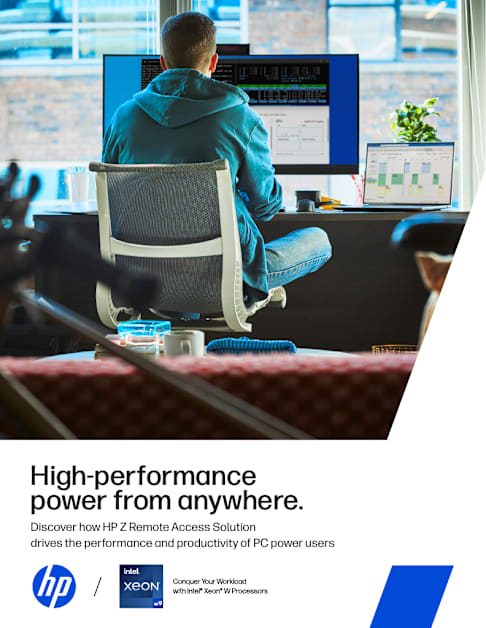
High-performance power from anywhere. Discover how HP Z Remote Access Solution drives the performance and productivity of PC power users
2
HP Z Workstations receive up to 360,000 hours of testing on heavy workloads
Gain collaboration without compromise The reality of hybrid work is that you probably have employees working both on-and off-site. And while remote solutions like virtual desktop infrastructure (VDI) and cloud may have worked in the past, they throttle the productivity of power users such as engineers, designers, creatives, and data scientists tackling compute-intensive workflows and large, data-rich files.
Can you create a fulfilling in-office technology experience specifically for these employees who use specialized software and demanding AI applications in their compute-intensive workflows? In this guide, you’ll learn how the HP Z Remote Access Solution1 offers dedicated workstation-level performance and simple manageability all at a predictable cost. That’s better performance, without compromises—for your power users and for IT.
3
Employees with compute-intensive workflows need high-end performance and low-latency connectivity because they’re generating designs and insights that drive your company’s intellectual property. These workers need to collaborate worldwide on graphics-heavy apps, analyze big data live in the field, run complex simulations, and use data-intensive AI applications and tools from anywhere they’re working.
Their tasks differ, but their requirements have key similarities: No matter what their specific jobs entail, all kinds of technical and creative professionals benefit from a remote workflow that provides secured, shared access to compute power, data, and applications. In today’s hybrid work environment, they need to be able to change work locations dynamically and access full, fluid GPU, CPU, and NPU acceleration from anywhere.
Additionally, these users, who often access massive amounts of sensitive data, prefer to think about the inventive, creative nature of their jobs—not the security of their endpoints. This makes built-in isolation from the BIOS up even more crucial, particularly in an era when AI is facilitating increasingly advanced attacks. Along with built-in security, power users benefit from tools that streamline collaboration, reduce the time taken by busy work and distractions, and enable them to focus on meaningful work that drives innovation.
Entrusting terabytes or petabytes of personal information and intellectual property to a VPN connection isn’t a risk worth taking. By providing power users with secured remote access, IT can gain peace of mind and enable data teams to stay productive without worrying about their safety.
Meet the needs of your power users
High-performance power from anywhere. 4
Why traditional remote models slow you down
VDI drawbacks Workflows often rely on shared corporate storage, large datasets that the entire team works on, or data that needs to stay secure. That drives some companies to use a VDI or virtualized servers that access a virtualized pool of computing resources. But these methods don’t provide undivided access to workstation-class performance and can introduce latency, complexity, and overhead costs.
Cloud constraints Putting apps and storage in the cloud can be a viable solution for regular office workers, but it presents several challenges for power users with flexible work locations. Provisioning more space isn’t always an instant process. Overhead expenses grow rapidly with large amounts of data moving to and from the cloud. Location, configuration, and bandwidth constraints can cause unpredictable performance. AI applications that require substantial processing power can also experience significant delays in the cloud. Plus, when data leaves your premises, security risks increase.
VDI and cloud are the traditional approaches for hybrid and remote work. But for performance-driven data scientists, engineers, and designers, these solutions can slow down workflows. VDI restricts compute power, and cloud provisioning and performance can’t always keep pace with the explosion of data-heavy workloads.
Unify and accelerate power-user teams HP Z Remote Access Solution—powered with HP Anyware—moves past the traditional challenges of VDI and cloud for industries that need to enable power users working from anywhere with fast, secured access to data and applications. This solution combines hardware and software in a turnkey offering—empowering your global workforce with remote workstation access that rivals the experience of working locally. It also eases the IT burden with significant cost, security, and manageability advantages.
High-performance power from anywhere. 5
High-performance power from anywhere. 6
Boost performance and deployment flexibility for virtually any2 infrastructure Even if you’re already running other hardware, VMs, or software, you can still get the smooth performance of HP Anyware software.3 It’s both vendor-and OS-agnostic, so it can be overlayed on your existing infrastructure2 and remote-access applications. With HP Anyware, almost any type of tablet or laptop from any manufacturer can be used to remotely and securely access the power of a high-performance PC.
Lay the foundation for no-compromise collaboration with HP Anyware Get access to high performance from anywhere and any device
With OS-independent software that provides high-fidelity remote workstation connectivity, remote power users can access workstation power from their existing client device. This gives them the freedom and flexibility to work as if they were in the office from nearly any location.
In addition to a dedicated connection for users of compute-intensive software, professionals who need ample RAM, advanced compression, and dynamic resizing can stay connected in real time.
Engineering Emmy® Award winner HP Anyware is the enterprise software that combines the best of two Engineering Emmy® Award-winning technologies: Teradici CAS (Cloud Access Software) and ZCentral Remote Boost. In 2020, these technologies helped the media and entertainment industry transition to a new way of working. By providing remote access to advanced computing, editors, artists, and other creative professionals can now create and collaborate from anywhere.
1:1 dedicated connection to workstations with CPU, NPU, and GPU power to handle intense workloads, accelerate AI tasks, and deliver superior performance for AI training and inference.
Collaboration tools built in for sharing and controlling remote sessions with other users.
Support for Windows 11 touch and gestures.
Exceptional image quality with support for up to 4K or multiple-monitor setups, plus automatic adaptation to the receiver’s resolution.
Support for specialized client hardware like a 3D SpaceMouse and financial-trading keyboard.
Application-independent—only pixels are sent, not data.
Support for Windows, Linux, and macOS across laptops and tablets.
Bring visibility and control with Anyware Manager4 Workstation management made easy Manage connections between remote data teams and your centralized hardware for Anyware Manager. Power users can easily connect to a dedicated workstation or the next available one within a pool of workstations—no technical or system knowledge needed.
High-performance power from anywhere. 7
Install in your host environment or access as a service.
Integrate with Microsoft Active Directory for easy user setup.
Assign individual machines or share pools of available workstation resources.
Easily manage all user connections remotely from a single console.
Hard power-on or power-off for total system control.5
Provide secured access to digital workspaces from virtually any device, without a VPN.
8
HP Remote System Controller IT managers who deploy and manage remote workstations must perform core tasks for maintaining their fleet. HP Remote System Controller is an out-of-band management solution that gives IT managers the power to manage a fleet of workstations, all from a single interface. It’s quick to deploy, it’s scalable, and it has built-in security, so IT managers can provide support and maintenance from anywhere.6
Out-of-band management Launch a KVM session and get pre-boot access, complete BIOS updates, and remotely re-image a PC.7
Security you need Hardware and software designed based on industry standards to ensure maximum security.
Increase manageability Pair with HP Z desktop workstations for direct communication with BIOS, direct control of power button signal, and hardware alerts with diagnostics.
One dashboard—all access Through the HP Remote System Management software,8 provide maintenance and support while receiving reports to optimize your infrastructure.
Complete your solution with racked HP Z workstations Although you can run HP Anyware over your existing non-HP infrastructure, your teams get optimal experience when connecting to HP Z workstations like the 1U rack-mountable HP Z4 rack. This workstation delivers the power of a large desktop with a thin profile that packs optimal power into your data closet.
Because HP Z offers the world’s most secure workstations9 and HP Anyware transfers only encrypted pixels, your data stays protected within your racked workstation wherever you access it. That’s true whether across the office or across time zones, and it provides this secured access via virtually any user-endpoint device. It’s a simple, powerful, secured end-to-end solution for power users and the IT teams that support them.
High-performance power from anywhere. 9
Equip power users to tackle complex projects from anywhere HP Z Remote Access Solution is the world’s first single-sourced remote workstation solution.10 This hardware and software solution delivers unthrottled, workload-optimized compute power that enables power users to maximize AI capabilities, prioritize high-impact work, and push the boundaries of innovation—from anywhere, on any device.
And high-performance users aren’t the only ones to benefit. IT will love more stable costs and a secured, centralized location for workstation management.
1. HP Z Remote Access Solution includes HP Z Workstations & Solutions or HP Commercial devices, HP Anyware software and HP Remote System Controller. Network access required. HP Anyware software and licensing are available through a 1- or 3-year subscription. Renewal is required after the subscription term. HP Anyware subscriptions are based on the number of concurrent PCoIP connections used (pay for the number of host connections, not the software) with a minimum order quantity of 5. For a limited time, an HP Anyware Professional subscription also includes access and support for ZCentral Remote Boost and ZCentral Connect and is available for purchase through an HP reseller or contact sales at hp.com/Anyware. ZCentral Remote Boost Sender requires Windows 10 and 11, RHEL/CentOS (7 or 8), or UBUNTU 18.04 or 20.04 LTS operating systems. macOS (10.14 or newer) operating system and ThinPro 7.2 are only supported on the receiver side. ZCentral Connect requires Windows (10 or 11) or Windows Server (2016 or 2019) operating system, Microsoft Active Directory and Intel Active Management Technology for select features. For system requirements and to install HP Anyware and Anyware Manager, refer to the Admin Guides at: https://docs.teradici.com/find/product/hp-anyware. HP Remote System Controller is sold separately.
2. HP Anyware supports Windows®, Linux® and MacOS® host environments and Window, Linux, MacOS, iOS®, Android®, and Chrome OS® end-user devices. For more on the system requirements for installing HP Anyware, refer to the Admin Guides at: https://docs.teradici.com/find/product/hp-anyware.
3. Network access required. HP Anyware software and licensing are available through a 1- or 3-year subscription. Renewal is required after the subscription term. HP Anyware subscriptions are based on the number of concurrent PCoIP connections used (pay for the number of host connections, not the software) with a minimum order quantity of 5. For a limited time, an HP Anyware Professional subscription also includes access and support for ZCentral Remote Boost and ZCentral Connect and is available for purchase through an HP reseller or contact sales at hp.com/Anyware. ZCentral Remote Boost Sender requires Windows 10 and 11, RHEL/CentOS (7 or 8), or UBUNTU 18.04 or 20.04 LTS operating systems. macOS (10.14 or newer) operating system and ThinPro 7.2 are only supported on the receiver side. ZCentral Connect requires Windows (10 or 11) or Windows Server (2016 or 2019) operating system, Microsoft Active Directory and Intel Active Management Technology for select features. For system requirements and to install HP Anyware and Anyware Manager, refer to the Admin Guides at: https://docs.teradici.com/find/product/hp-anyware.
4. HP Anyware subscription gives you a license key to activate a connection to a hosted desktop as well as support and updates to the PCoIP Agents, PCoIP Clients and the Anyware Manager available for download here: https://docs.teradici.com/find/product/hp-anyware.
5. Feature available only for workstation or cloud environment.
6. Internet access required.
7. Internet access required. Automation of tasks available with select HP Z desktop workstations, see datasheet and QuickSpecs for details.
8. HP Remote System Management cloud-based software sold separately.
9. Based on HP’s unique and comprehensive security capabilities at no additional cost among vendors on HP Workstations with Windows and 8th Gen and higher Intel® processors or AMD Ryzen™ 4000 processors and higher.
10. Based on workstation OEMs that design, develop, and support both the hardware and software for centralized workstations to enable remote graphics as of October 2019.
Product may differ from images depicted.
© Copyright 2024 HP Development Company, L.P. The information contained herein is subject to change without notice. The only warranties for HP products and services are set forth in the express warranty statements accompanying such products and services. Nothing herein should be construed as constituting an additional warranty. HP shall not be liable for technical or editorial errors or omissions contained herein.
Intel, the Intel logo, Core and Xeon are trademarks or registered trademarks of Intel Corporation or its subsidiaries in the United States and other countries. Microsoft and Windows are either registered trademarks or trademarks of Microsoft Corporation in the United States and/or other countries. NVIDIA and Quadro are trademarks and/ or registered trademarks of NVIDIA Corporation in the U.S. and other countries. Linux® is the registered trademark of Linus Torvalds in the U.S. and other countries. AMD is a trademark of Advanced Micro Devices, Inc.
October 2024
Visit the HP Z Remote Access Solution page to start empowering your workforce
LEARN MORE
http://hp.com/Anyware https://docs.teradici.com/find/product/hp-anyware https://docs.teradici.com/find/product/hp-anyware http://hp.com/Anyware https://docs.teradici.com/find/product/hp-anyware https://docs.teradici.com/find/product/hp-anyware https://www.hp.com/us-en/workstations/remote-access-solution.html?jumpid=va_d6813fxvmu https://www.hp.com/us-en/workstations/remote-access-solution.html?jumpid=va_d6813fxvmu