HP Managed Device Services Endpoint Management.pdf
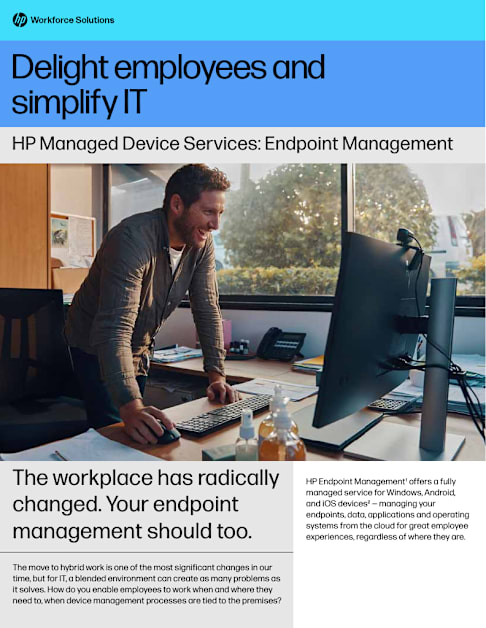
HP Endpoint Management1 offers a fully managed service for Windows, Android, and iOS devices2 — managing your endpoints, data, applications and operating systems from the cloud for great employee experiences, regardless of where they are.
The move to hybrid work is one of the most significant changes in our time, but for IT, a blended environment can create as many problems as it solves. How do you enable employees to work when and where they need to, when device management processes are tied to the premises?
The workplace has radically changed. Your endpoint management should too.
HP Managed Device Services: Endpoint Management
Delight employees and simplify IT
Automated and in the cloud HP Endpoint Management
Additional benefits
● Simplify device setup with self-service device provisioning ● Eliminate costly image creation and management ● Access cloud-enabled apps anywhere ● Ensure the latest security updates seamlessly applied from anywhere ● Simplify OS, firmware and driver update management ● Proactively mitigate problems with insights and analytics ● Maximize the lifespan and performance of Windows devices
A fully-managed endpoint management service that starts with cloud transformation planning and implementation followed by ongoing day-to-day management for Windows, Android, and iOS devices.2
There are optional services that can be combined with Endpoint Management that bring additional benefits. These optional services include hybrid devices3 for existing fleet onboarding, co-management for application management extensibility, HP Home Delivery, and HP Device Recovery Services to repurpose and retire devices sustainably when they reach end of life.
Traditional on-prem approach
INTERNALLY MANAGED BY IT:
— On-premises configuration manager hierarchy
— Localized insights
— Complex imaging and staging
— Windows PCs
Modern cloud-first approach
MANAGED BY HP SERVICE EXPERTS:
— Microsoft Intune4
— Service Insights5 powered by HP & Microsoft Graph
— HP Autopilot-ready image6 + Microsoft Autopilot
— Windows PCs7 (new and existing), Android, and iOS2
Benefits of a cloud-based approach
Fast track your cloud journey
Ease endpoint strain for IT
Our service experts plan, build, and manage the migration of your endpoints and applications— including the homegrown and Win32 legacy apps you can’t do without—to the cloud, with minimal effort from your IT teams.
Moving on-premises device management to the cloud saves time and money and reduces IT workloads. Say goodbye to traditional image management, replacing it with self-service cloud provisioning. Let HP service experts take care of your patch compliance and help to optimize the digital experience.
● Get HP-managed transformation to the cloud ● Cloud-enable your existing investments into a single solution ● Convert your legacy apps to go with Intune4 ● Experience seamless endpoint cloud uplift ● Leverage pay-per-use subscription services1
Protect your endpoints
Experience PC protection that’s always on and always up to date, from boot up to power down. Our service experts provide timely software, firmware, and multi-OS2,3 updates and patch management.
● Reduce risk with timely, cloud-based updates ● Leverage principles backed by the zero-trust model ● Optimize endpoint security posture with security baselines
Help workers perform their best
Give employees a simplified setup experience from the cloud, without the need for IT. They’ll get convenient, automated updates, remote troubleshooting, and an evergreen experience across all devices, with their data and settings stored in the cloud.
● Self-service setup and easy app access ● Seamless onboarding and file migration ● Freedom to work anywhere, securely ● Improve fleet performance and lifecycle
● Rationalize IT workloads and reduce costs ● Achieve better visibility and control of endpoints ● Simplify lifecycle management through automation ● Rationalize IT workloads and reduce costs ● Gain deep insights that allow for proactive issue remediation ● Drive a next-gen digital user experience
4 ways HP Endpoint Management helps IT handle the hybrid work revolution
Cloud transformation done for you by HP service experts:
Day-to-day management by HP tools and service experts:
Discover and design
Assess6 your end-user compute and app environment
Define integration points
Create design document
Plan and map the project
Setup and transition
Build solution, convert and migrate legacy apps in the cloud
DIntegrate delivery support model
Validate and test the service end-to-end with early adopters
Enroll new and existing devices
Move into upsourced endpoint management
PC setup and restore
Zero-touch multi-OS2,3 enrollment
Security policy enforcement
Application distribution and management
OS patching and software updates
Automated driver and firmware updates
Proactive incident remediation
Tier 2 and Tier 3 support for HP Endpoint Management
The move from on-premises to cloud-based endpoint and app management is a significant undertaking, but it’s not all on you. HP is the strategic innovation partner that provides IT expertise from the start of the project and throughout your transition phase. After we enroll and uplift your devices into the service, we manage and keep your endpoints current and secure and manage application distribution and patching, along with providing regular insights into your fleet.
We manage your move from on-site to the cloud
Endpoint management by HP service experts
At home. At the office. In between. It’s hard for IT to manage so many endpoints with so little time. HP Endpoint Management is the upsourcing help that creates a unified solution for IT and a single experience for employees — from almost anywhere.
Unify your endpoint management for better hybrid work experiences
Learn more at hp.com/workforcesolutions
© Copyright 2023 HP Development Company, L.P. The information contained herein is subject to change without notice. The only warranties for HP products and services are set forth in the express warranty statements accompanying such products and services. Nothing herein should be construed as constituting an additional warranty. HP shall not be liable for technical or editorial errors or omissions contained herein.
4AA8-1836ENW, October 2023
1 HP Endpoint Management requires separately purchased Microsoft 365 Enterprise (E3 or E5), Azure Subscription, and a Power BI license. HP Endpoint Management OS support includes Windows 10 or 11 (22H2) as base (properly licensed Enterprise or Pro Edition). Support for Android and iOS is an optional, paid for, additional service. Visit Microsoft 365 E3 Overview and FAQ for more information.
2 The mobile service option for HP Endpoint Management accommodates company-owned and employee bring-your-own-devices (BYOD) and company-owned iOS and Android devices. The Endpoint Management mobile service leverages Apple’s and Google’s enrollment programs, which the customer needs to sign up for independently using their corporate account.
3 Hybrid device support option is only supported for existing Windows endpoints which are already domain-joined. The hybrid-joined state is not a supported outcome with Autopilot provisioning.
4 Autopilot prerequisites include Azure AD Premium P1 or P2 and Microsoft Intune or to manage your devices.
5 HP Endpoint Management Service Insights leverages the customer’s Azure subscription to capture insights for the managed device fleet. Data is retained within the customer’s Azure tenant.
6 The HP Corporate-Ready Image is for customers who want to receive a minimal, “plain vanilla” Windows 10/11 image from the factory. The Corporate-Ready Image consists of the Windows OS, device drivers, Microsoft Office, and a minimal set of HP hardware enabling apps. The Corporate-Ready option is ideal for use with modern provisioning such as with Endpoint Management.
7 Commercial HP, Dell, Lenovo, Microsoft business notebooks, desktops, and all-in-ones.
8 The Compatibility Assessment is a mandatory paid consultative engagement, prior to deal signature, which ensures the Endpoint Management solution aligns to the specific needs and requirements of the customer and whether supplementary uplifts are required.
HP Services are governed by the applicable HP terms and conditions of service provided or indicated to Customer at the time of purchase. Customer may have additional statutory rights according to applicable local laws, and such rights are not in any way affected by the HP terms and conditions of service, or the HP Limited Warranty provided with your HP Product.
https://www.hp.com/us-en/services/workforce-solutions.html?jumpid=va_ww_mu_mk_hc_r12012_aw_x_11792