Masonicare levels up its cybersecurity
Masonicare levels up its cybersecurity
CUSTOMER CASE STUDY
Objective
Approach
Business Outcomes
INDUSTRY:
Healthcare
COUNTRY:
USA
🏥 57% reduction of IT resources with zero breaches
🏥 Less end user training with increased user productivity
🏥 Improved threat intelligence to enhance security infrastructure
🏥 Increased IT security and efficiency while reducing risks
Provide end-to-end cybersecurity across a hybrid workforce from threats such as ransomware, drive by, and phishing attacks
Deploying HP Sure Click Enterprise1 to protect all Windows endpoints
Masonicare decided to make HP Sure Click Enterprise the core component of its new security approach.
Masonicare Case Study | 01
Masonicare, Connecticut’s largest not-for-profit senior care community, significantly reduced risk while increasing IT efficiency with HP Sure Click Enterprise.
Recognized for quality and compassionate healthcare, Masonicare provides residential living, skilled nursing & rehabilitation, home health & hospice, homemakers & companions, and senior behavioral health hospital care to thousands of patients. It provides a vast variety of services which leads to a complex IT environment that covers over 1,300 devices over an internal point-of-care system, mobile network of users, and users at various company locations.
As a healthcare company, Masonicare is required to secure Personal Identifiable Information (PII) and must comply with the Health Insurance Portability and Accountability Act (HIPAA). Protecting patient information and interruption of health services from any type of security breach is extremely important to both their patients and to the company’s reputation. Therefore, Masonicare prioritizes security when evaluating its environment.
The on-site back-office teams rely on a secure network to protect their PCs. Their point-of-care systems, often on “medcarts,” also use the local network within the facilities. With ‘at home’ care, the company utilizes a hybrid working model with over 300 mobile nurses on laptops in the field where data is kept on the laptops until it can be synced to the internal network. This complex environment creates a large attack surface that is difficult to secure, especially with a small team of three IT professionals.
Challenges in a Dynamic IT Environment
seniors a day
Supports
1500
mobile nurses on laptops in the field
300 Boosting Cybersecurity in a Sophisticated Environment
Optimizing Resources in a Complex Environment
Masonicare Case Study | 02
Even with endpoint security in place, Masonicare was still the target of a ransomware attack. The source of the attack was unsurprisingly identified as an email received by a back-office employee. The employee, relying on the company’s existing cybersecurity architecture, clicked on the email and unwittingly unleashed the ransomware, which went undetected by the antivirus software and web gateway.
The simple act of opening an email activated the malware, immediately encrypting important files on the file server. Soon enough, the IT team started getting calls about files that could not be accessed. The ransomware had not only infected the employee’s PC, but penetrated the system and remained hidden without raising any flags in the cybersecurity architecture. The IT team started to track down and trace back the source of the file encryption. A detailed investigation ensued before the IT team determined the cause of the attack. After successfully identifying the attachment in the email as the source of the malware, the employee’s PC was immediately removed from the network.
However, the employee’s PC was not the only casualty. The Finance team ended up losing a full day of work and the IT team spent the next few days remediating servers and removing files left by the ransomware.
Additionally, each individual PC needed to be evaluated and checked for dormant malicious code.
Masonicare Mitigates Ransomware
Impact is Just One Click Away
Masonicare realized that it needed to rethink its security architecture to create a more resilient infrastructure starting with endpoint protection. After spending time researching and evaluating different solutions, the organization decided to make HP Sure Click Enterprise (SCE) the core component of its new security approach.
The Solution and Approach
Building a Resilient Security Architecture
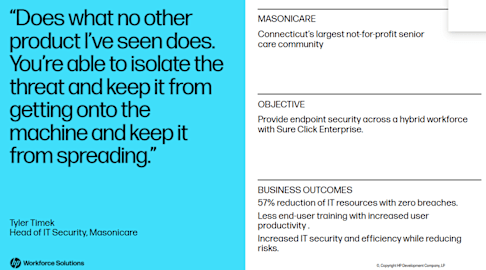
Tyler Timek, Head of IT Security for Masonicare
"Does what no other product I've seen does. You're able to isolate the threat and keep it from getting onto the machine and keep it from spreading."
Masonicare Case Study | 03
Now, each opened file is isolated in its own micro-virtual machine (μVM) allowing the content to be used normally while rendering any malware harmless. The isolation technology seamlessly compliments other security detection tools providing the first line of defense for high-risk activity at the endpoint. Since Sure Click stops malware, incident reports are not high priority situations that need to be addressed immediately. Additionally, actionable threat intelligence is gathered by HP Sure Click for each incident and reported through the Wolf Controller2 dashboard. This allows the security better time utilization as well as evaluating the threat intelligence to strengthen their overall security program.
Consider Endpoints Protected
“We were able to put a wall up and keep the bad guys out. A big part of that is our endpoint and how the bad guys are getting in. So that's where Sure Click [Enterprise] came in and built that wall.” Tyler Timek, Head of IT Security for Masonicare.
One of the biggest advantages of deploying HP Sure Click Enterprise is that the IT team has been able to focus on other security projects without constantly being interrupted with immediate threats. They can confidently test security patches prior to rollout since the most vulnerable area, the endpoint, is now continuously protected.
From a security management perspective, SCE gives the IT team time to evaluate each threat, and adjust security policies where warranted. Another clearly measurable benefit has been the reduction of the security team’s time needed to manage cybersecurity risks as SCE has allowed the smaller team to still effectively mitigate risk.
From the employee perspective, HP Sure Click Enterprise has improved user productivity as there is less need for end-user training on security threats, ransomware, and “spot the phishing” exercises. Employees now know they can work with confidence even when dealing with third party companies and use standard desktop applications as they normally would.
Improved security operational efficiency and IT staff productivity
Business Outcomes
Reducing SOC's Workload
reduction of IT resources
57%
security breaches
0
Masonicare Case Study | 04
Masonicare Case Study | 05
"That’s what I always say about Sure Click, this product gives us confidence knowing our endpoints are protected. It’s a nice feeling."
When it’s time to renew SCE, Masonicare’s IT and Executive teams know it is an essential part of their security strategy; therefore, renewing SCE will be the only option.
According to Timek, “There isn’t really a price point to put on Sure Click. We rely so heavily on it that we have to renew it.”
Looking forward, Masonicare plans to roll out additional SCE features such as Credential Protection. Using Sure Click Enterprise has helped Masonicare mitigate risks, establish IT operational efficiency, and make life easier for all employees.
HP Sure Click Enterprise for the Long Run
Tyler Timek, Head of IT Security for Masonicare
Go beyond basic security and learn how HP Sure Click Enterprise provides isolation technology to improve IT operational efficiency.
Watch Tyler Timek speak about leveling up Masonicare’s cybersecurity with HP Sure Click.
Visit website Watch now
https://www.hp.com/us-en/security/enterprise-pc-security.html https://www.youtube.com/watch?v=YYQy_4R40jc
© Copyright 2022 HP Development Company, L.P. The information contained herein is subject to change without notice. The only warranties for HP products and services are set forth in the express warranty statements accompanying such products and services. Nothing herein should be construed as constituting an additional warranty. HP shall not be liable for technical or editorial errors or omissions contained herein.
4AA8-1874ENW, July 2022
1. HP Wolf Enterprise Security is an optional service and may include offerings such as HP Sure Click Enterprise and HP Sure Access Enterprise. HP Sure Click Enterprise requires Windows 8 or higher and Microsoft Internet Explorer, Google Chrome, Chromium or Firefox are supported. Supported attachments include Microsoft Office (Word, Excel, PowerPoint) and PDF files, when Microsoft Office or Adobe Acrobat are installed. HP Sure Access Enterprise requires Windows 10 or 11 Pro or Enterprise. HP services are governed by the applicable HP terms and conditions of service provided or indicated to Customer at the time of purchase. Customer may have additional statutory rights according to applicable local laws, and such rights are not in any way affected by the HP terms and conditions of service or the HP Limited Warranty provided with your HP Product. For full system requirements, please visit https://www.hpdaas.com/requirements
2. Wolf Security Controller requires HP Sure Click Enterprise or HP Sure Access Enterprise and is a management and analytics platform that provides critical data around devices and applications and is not sold as a standalone service. HP Wolf Security Controller follows stringent GDPR privacy regulations and is ISO27001, ISO27017 and SOC2 Type2 certified for Information Security. Internet access with connection to the HP Cloud is required. For full system requirements, please visit https://www.hpdaas.com/requirements
https://www.hpdaas.com/requirements https://www.hpdaas.com/requirements