Work smarter than ever with Intel vPro and AI PC experiences for business
Why choose HP ZWhat customers are sayingHP Z solutions for meResourcesContact us

Your campus is ready for more. HP Z is ready now.

Equip your team today with the performance, security, and manageability to meet rising demands and prepare your institution for what's next with certified, scalable HP Z Workstations & Solutions.
Explore HP Z solutionsTalk to an HP Z higher ed expert
Anchor: What-IT-leaders-are-saying

When performance holds back what's possible

AI, research, and creative workloads deserve technology built to keep pace.

“Because scientists stay at MBL for only a few weeks at a time, they need the right technology for efficient data analysis and decision-making.”

— Marine Biological Laboratory


Explore the story

“We rendered an entire short film in two weeks. We had never done that before because the processing power wasn’t there.” 

—Seth Holladay

Associate Professor, Brigham Young University

Explore the story
Anchor: MBLvideocasestudy

How Marine Biological Laboratory maximizes a short research window

For institutions like Marine Biological Laboratory, where researchers are onsite for only a few weeks at a time, waiting to analyze data isn’t an option. Decisions often need to be made in minutes, not days. See how MBL uses high‑performance workstations to analyze data, adjust experiments, and move research forward in real time.
Anchor: Why-choose-HP-Z

Why higher ed teams turn to HP Z to stay ahead

AI is reshaping higher education, but only 9% of campus CTOs say their institutions are prepared. HP Z helps close the readiness gap.

Learning without limits

Support classrooms, labs, and remote learning with HP Z Workstations and HP Anyware² for access wherever learning happens.

Accelerating research & data science

Equip faculty, students, and researchers with AI-ready HP Z Workstations for simulation, modeling, and experimentation, enhanced by HP AI Stu...

Enable AI and STEM from anywhere

Give students secure remote access to GPU-powered HP Z environments with HP Anyware² for AI, simulation, and STEM learning.

Secure campus operations

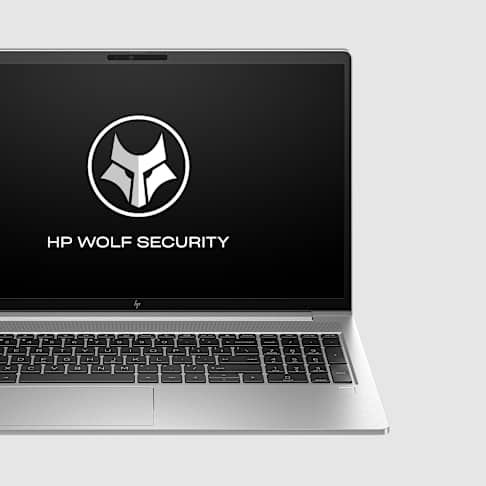
Protect devices, data, and systems with HP Z hardware-enforced security and centralized management tools.
Power creative & design workflows

Accelerate 3D modeling, animation, and video editing with GPU-powered HP Z Workstations and HP Z Boost⁵.

Simplify IT management

Manage HP Z Workstations more efficiently with HP Anyware² and HP Z Boost⁵ for streamlined operations and optimized performance.

Explore HP Z in action for higher ed

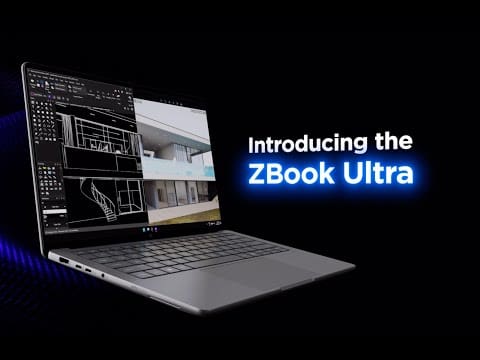
Get a closer look at the HP ZBook Ultra G1from hardware design to performance benchmarks.

Power your institution with HP Z

The HP Z ecosystem brings together workstations, HP Anyware, HP Z Boost, and HP AI Studio for AI, research, and creative workflows.
Anchor: HP-Z-solutions-for-me

Hardware for every higher ed workload

Accelerate AI and research

Power AI development, simulation, and visualization with the

Shop now

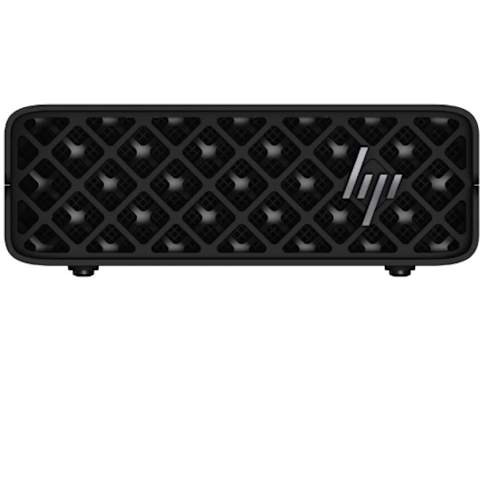
Compact power for AI & 3D

Run AI, LLMs, rendering, and 3D workflows on the

Shop now

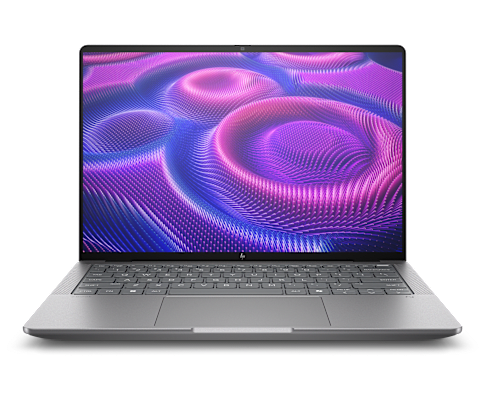
Mobile AI for campus computing

Take AI, design, and research anywhere with the HP ZBook Ultra G1, enhanced by HP Z Boost⁵ and H...
Shop now

Mobile power for AI and design

Create, render, and visualize from anywhere with the HP ZBook Fury G1, built for demanding creat...

Shop now

Deploy AI at the edge

Prototype and fine-tune AI locally with the H...

Shop now

Software for AI, research, and secure access

Secure remote access

Access workstation performance from any device with HP Anyware² without moving sensitive data.
Learn more

Expand GPU resources

Share idle GPUs with HP Z Boost⁵<...

Contact us

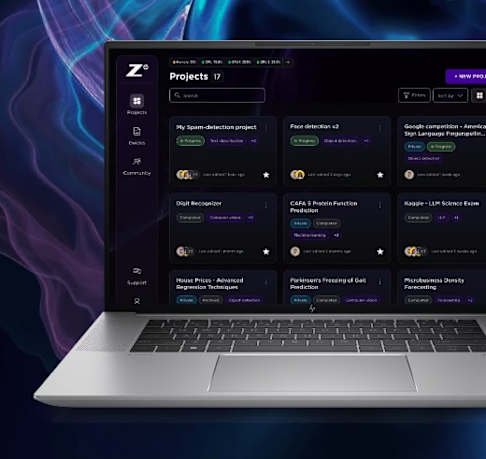
Simplify AI development

Build, test, and deploy AI faster with secure, containerized workspaces in HP AI Studio³.
Learn more
Find the best-fit HP Z solution

Meet your dedicated HP Z higher education team

Our specialists partner with higher ed leaders to design, deploy, and support HP Z Workstations & Solutions tailored to your institution's needs.

Terra Alasti

Inside Z Solution Specialist West

Jesse Rios

Inside Z Solution Specialist East
Discover how higher ed leaders are transforming with HP Z

Public sector content hub

Disclaimers

Product may differ from images depicted.
The information contained herein is subject to change without notice. The only warranties for HP products and services are set forth in the express warranty statements accompanying such products and services. Nothing herein should be construed as constituting an additional warranty. HP shall not be liable for technical or editorial errors or omissions contained herein.
1. Source (October 16, 2024): https://www.insidehighered.com/news/tech-innovation/artificial-intelligence/2024/10/16/campus-tech-leaders-say-higher-ed
2. HP Anyware requires network access. HP Anyware supports Windows®, Linux® and MacOS® host environments and Window, Linux, MacOS, iOS®, Android®, and Chrome OS® end-user devices. For more on the system requirements for installing HP Anyware, refer to the Admin Guides at: https://anyware.hp.com. HP Anyware is based on the Teradici CAS software and licensing platform and is available through a 1- and 3-year subscription. HP Anyware subscriptions are based on the number of concurrent PCoIP connections used (pay for the number of host connections, not the software) with a minimum order quantity of 5. HP Anyware subscriptions gives you a license key to activate a connection to a hosted desktop as well as support and updates to the Anyware Agents, Anyware Clients and the Anyware Manager available for download here: https://anyware.hp.com/. For a limited time, an HP Anyware subscription also includes access and support for ZCentral Connect and is available for purchase through an HP seller or by contacting sales at: hp.com/Anyware. HP Services are governed by the applicable HP terms and conditions of service provided or indicated to Customer at the time of purchase. Customer may have additional statutory rights according to applicable local laws, and such rights are not in any way affected by the HP terms and conditions of service or the HP Limited Warranty provided with your HP Product.
3. HP AI Studio requires Windows 10 (build 19041 and higher) or Windows 11 OS, Intel Core™ i5 12th gen or higher, AMD Ryzen™ 9 or higher processors, minimum 50 GB of available storage, 16GB of RAM, and Internet access. To enable GPU compute, HP Z AI Studio requires any NVIDIA® GPU compatible with driver version 528.89 or newer. A minimum of 8GB of VRAM is recommended. Join waitlist for access to HP Z AI Studio early access program.
4. HP Wolf Security for Business requires Windows 10 or 11 Pro and higher, includes various HP security features and is available on HP Pro, Elite, RPOS and Workstation products. See product details for included security features.
5. HP Z Boost requires client device with Windows 10 or Windows 11 OS and Vulkan Runtime for devices without a GPU, or WSL2 with Ubuntu 22.04 or Ubuntu 22.04 LTS or greater. Host device for sharing GPU(s) must be a Z by HP workstation with NVIDIA professional grade workstation GPU(s) of Pascal architecture or later with an installed driver version 535 or greater, and a CUDA driver version 11.2 through to 12.3, Windows 10 or Windows 11 OS (WSL is not supported), or Ubuntu 22.04 LTS or greater or Debian 11 or greater with libatomic1, libnumal1, libvulkan1, libgl1, libglib2.0-0 packages installed. Network connection required. Join waitlist to be considered for selection for early access
6. The HP Z Remote Access Solution recommended configurations include HP Z workstations, HP Remote System Controller, and HP Anyware software for remote access to an end point device. Network access required.  HP Anyware software and licensing are available through a 1- or 3-year subscription. Renewal is required after the subscription term. HP Anyware subscriptions are based on the number of concurrent PCoIP connections used (pay for the number of host connections, not the software) with a minimum order quantity of 5. For a limited time, an HP Anyware Professional subscription also includes access and support for ZCentral Remote Boost and ZCentral Connect and is available for purchase through an HP reseller or contact sales at hp.com/Anyware. ZCentral Remote Boost Sender requires Windows 10 and 11, RHEL/CentOS (7 or 8), or UBUNTU 18.04 or 20.04 LTS operating systems. macOS (10.14 or newer) operating system and ThinPro 7.2 are only supported on the receiver side. ZCentral Connect requires Windows (10 or 11) or Windows Server (2016 or 2019) operating system, Microsoft Active Directory and Intel Active Management Technology for select features. For system requirements and to install HP Anyware and Anyware Manager, refer to the Admin Guides at: https://docs.teradici.com/find/product/hp-anyware. HP Remote System Controller is sold separately. Internet access required
© Copyright 2026 HP Development Company, L.P. The information contained herein is subject to change without notice. The only warranties for HP products and services are set forth in the express warranty statements accompanying such products and services. Nothing herein should be construed as constituting an additional warranty. HP shall not be liable for technical or editorial errors or omissions contained herein.
Anchor: ContactUs

Ready to equip your IT team for what's next?
Start today.